

Creating a Plan
A plan is a billing configuration: it defines the currency, the billing interval, an optional term, and a grace period. You create a plan once and reuse it across as many subscribers as you like. Two plan types are supported:
- FIXED: the plan also carries the price, and every subscription on the plan bills that amount. Use FIXED when each of your products or price points maps to its own plan. This is the common case.
- VARIABLE: the plan carries only the currency, and you set the amount on each subscription at creation. Use VARIABLE when the final price is calculated in your own system, for example from a product catalog, add-ons, or discounts. One VARIABLE plan per currency and billing interval is usually enough. The amount stays fixed for the life of each subscription.
Create a plan
POST /api/v3/subscriptions/plans
curl -X POST https://api.confirmo.com/api/v3/subscriptions/plans \
  -H "Authorization: Bearer YOUR_API_KEY" \
  -H "Content-Type: application/json" \
  -d '{
    "name": "Pro Monthly",
    "type": "FIXED",
    "price": { "amount": "29.00", "asset": "USD" },
    "billingInterval": "MONTHLY",
    "termCycles": 12,
    "gracePeriod": "P3D"
  }'
The choices that matter:
| Field | What to consider |
|---|---|
billingInterval | Monthly or annual. MONTHLY or ANNUAL. |
termCycles | How many cycles the subscription runs, for example 12 monthly cycles. Omit it for a subscription that renews until canceled. We recommend omitting it unless a fixed term is strictly necessary. |
gracePeriod | How long Confirmo retries a failed payment before the subscription ends, in whole days (for example P3D for 3 days). See Subscription Lifecycle. |
price | The amount and currency, for a FIXED plan. For a VARIABLE plan, supply only the currency and set the amount per subscription instead. |
Here's what you get back:
{
  "id": "9f3a6e2c-1b7d-4c5e-9a0f-2d8b4e6c1a3f",
  "name": "Pro Monthly",
  "type": "FIXED",
  "asset": "USD",
  "price": { "amount": "29.00", "asset": "USD" },
  "billingInterval": "MONTHLY",
  "termCycles": 12,
  "gracePeriod": "P3D",
  "status": "ACTIVE",
  "createdAt": 1748513400,
  "updatedAt": 1748513400
}
Save the id from the response. You'll use it when creating subscriptions.
Plan price can't be edited laterTo change pricing, archive the plan and create a new one. Existing subscriptions on an archived plan keep billing unchanged.
Pricing in a non-USD currency
Plans are priced in USD for now (non-USD is coming soon). If you sell in another currency in the meantime, convert your target price to USD at a fixed exchange rate you choose, and set that USD amount as the plan price. Because a USD plan charges a steady stablecoin amount each cycle, keep in mind that the value in your own currency may drift as exchange rates move.
Archive a plan
A plan is either ACTIVE (open for new subscriptions) or ARCHIVED (closed to new ones; existing subscriptions keep billing). Archive one with:
POST /api/v3/subscriptions/plans/{planId}/archive
Archiving is one-way and idempotent. You can also list your plans (GET /api/v3/subscriptions/plans) and fetch one by ID (GET /api/v3/subscriptions/plans/{planId}).
Create a plan in the dashboard
You can also create and manage plans in the merchant dashboard, without writing any code.
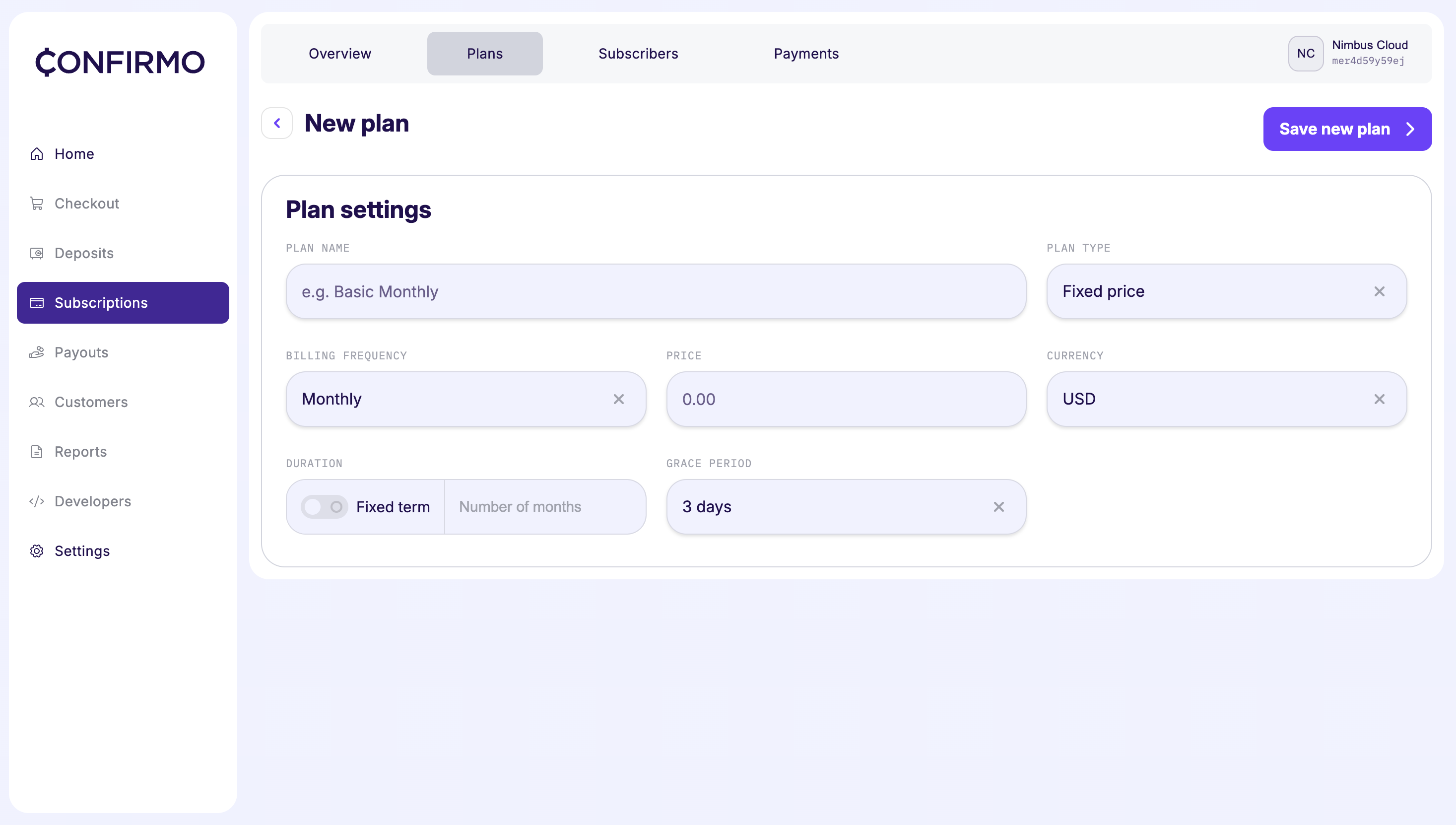
Create a new subscription plan via the Confirmo Merchant Dashboard
Updated 2 months ago