

Customization
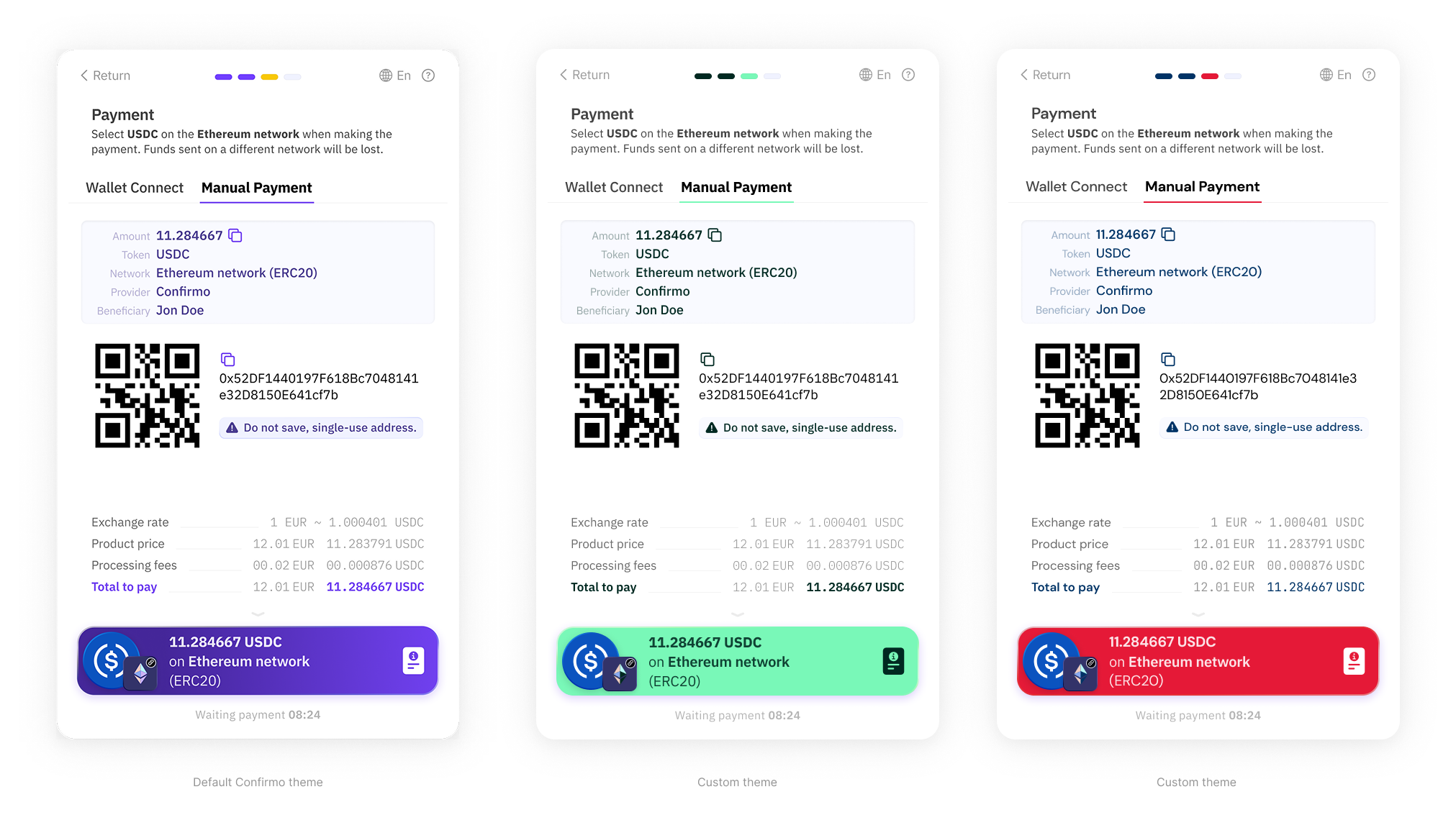
Confirmo offers customization options for styling the Confirmo Invoice page using CSS variables. You can adjust the defined variables to apply your brand identity and optionally include your custom logo and fonts.
Custom theme examples
General information
How to apply for a custom theme?
-
Define your styling in the Custom theme template and send it to us.
All CSS variables listed in the template must be defined, otherwise values from the default Confirmo theme will be used. A custom font can be included in a
.zipfile along with the Custom theme template when submitting. -
Your styling will be revised and we will send you a new appearance of your Confirmo invoice pages for approval.
-
Once confirmed, your custom styling is good to go and will be applied.
Custom theme template
/*
* This is the template for customizing the styling of the Confirmo Public Invoice.
*
* All variables below must be defined. Optionally, you can also include your custom
* font. Please send all required files in a .zip archive together with this file.
*/

.cf-checkout-theme-host {
  --cf-color-brand-main:            #024820;
  --cf-color-brand-main-dark:       #023116;
  --cf-color-brand-main-lite:       #9af5bd;
  --cf-color-brand-main-extra-lite: #e8f6ed;
  --cf-color-brand-secondary:       #9af5bd;

  /* Solid color instead of gradients (optional) */
  --cf-color-fill-dark:        var(--cf-color-brand-main-lite);
  --cf-color-fill-light:       var(--cf-color-brand-main-extra-lite);
  --cf-color-fill-extra-light: var(--cf-color-brand-main-extra-lite);

  /* Color for texts and icons on the main button
     Can be set only when --cf-color-fill-* is also set */
  --cf-color-on-fill-dark: var(--cf-color-brand-main);

  /* Custom font */
  --cf-checkout-font-family: 'your-font', serif
}

/* OPTIONAL FONT CUSTOMIZATION
*
*    Please provide the font in three weights (ideally in both .woff and .woff2 formats):
*    - Weight 400 (Regular)
*    - Weight 500 (Medium)
*    - Weight 600 (SemiBold or Bold)
*/
CSS variables overview
Brand colors
The default style uses a gradient composed of Confirmo's brand colors. You can style it to match your own brand.
--cf-color-brand-main:            #024820;
--cf-color-brand-main-dark:       #023116;
--cf-color-brand-main-lite:       #9af5bd;
--cf-color-brand-main-extra-lite: #e8f6ed;
--cf-color-brand-secondary:       #9af5bd;
Alternatively, a solid color derived from the same colours can be used.
/* Solid color instead of gradients (optional) */
  --cf-color-fill-dark:        var(--cf-color-brand-main-lite);
  --cf-color-fill-light:       var(--cf-color-brand-main-extra-lite);
  --cf-color-fill-extra-light: var(--cf-color-brand-main-extra-lite);
Main Button
  /* Color for texts and icons on the main button
     Can be set only when --cf-color-fill-* is also set */
  --cf-color-on-fill-dark: var(--cf-color-brand-main);
Fonts
  /* Custom font */
  --cf-checkout-font-family: 'your-font', serif
Provide fonts in three different weights:
- 400 – Regular
- 500 – Medium
- 600 – Bold
Formats required: .woff and .woff2 are preferred.
Updated 3 months ago