

Sending a Payout
Once you have a balance in your account, you are ready to start making payouts.
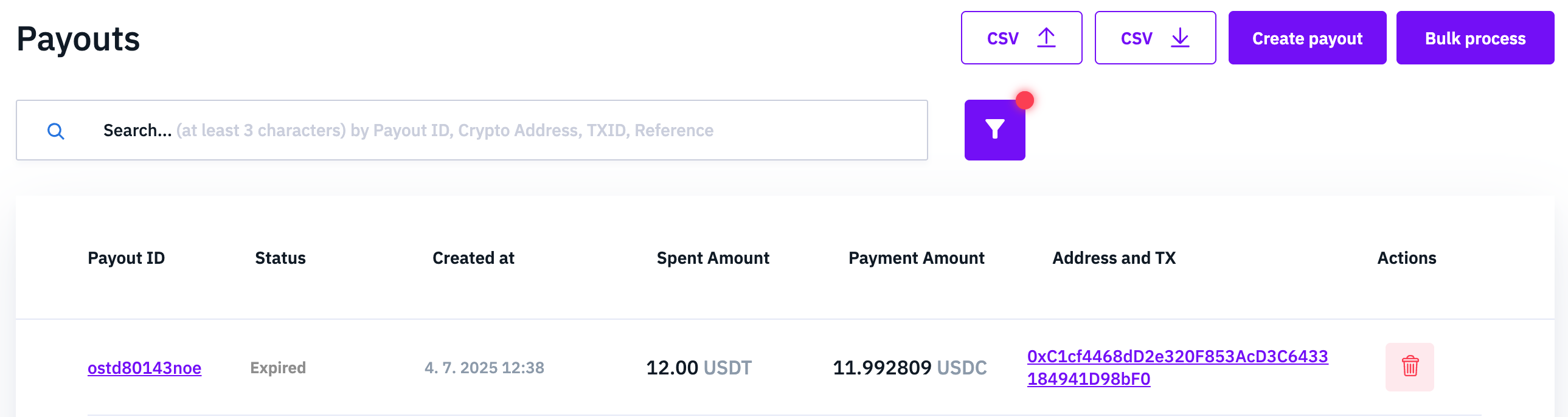
Creating a payout
To create an individual payout, simply navigate to the Payout section of your Confirmo Dashboard and click ‘Create payout’.
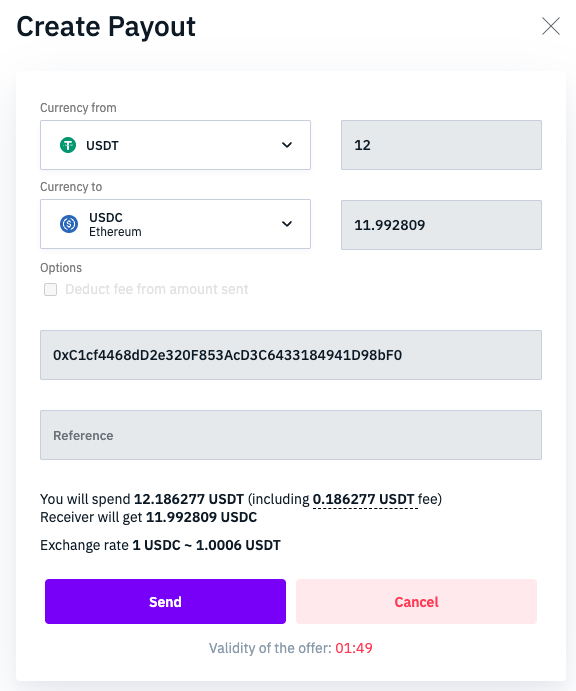
In the dialog window, you will select which balance you want to spend from (Currency from), and which currency to send to the recipient (Currency to). You can only fill in an amount for one field, as the other will be calculated based on the current exchange rate.
The network fee for sending the payout will be charged from your balance, unless you check ‘Deduct fee from amount sent’, in which case we will deduct it from the amount the recipient receives. BTC payouts also have an option for high priority, which speeds up the transaction for a higher fee.
The Reference field is optional. You can store any useful information here.
To send the payout, click Create Payout. The payout is now in a ‘Prepared’ state, with an exchange rate held for 2 minutes. You can accept the rate and send the funds by clicking ‘Send’.
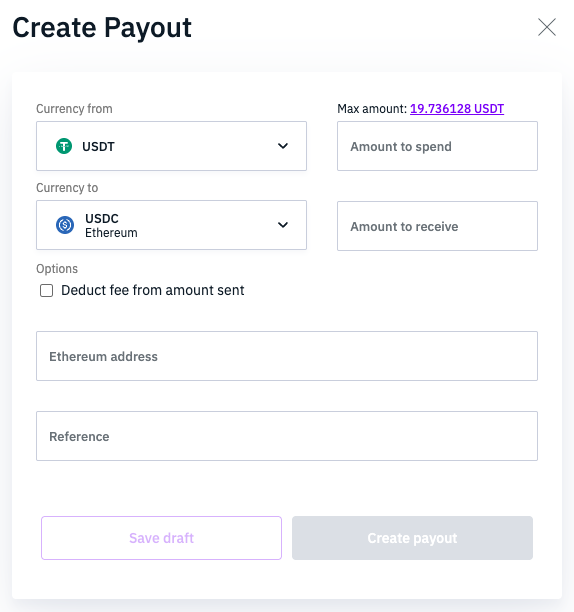
Payout drafts
To save draft payouts and enable bulk actions, you might have to enable Extended payout options in Settings > General. Consult with your technical team, as this changes the behavior of some payout API endpoints and might break your integration. Once enabled, this cannot be undone.
Payouts draft are such payouts, that don't have fixed amounts and fees yet. Thanks to that, we can keep these payouts valid much longer and you can come back to them later. There is no exchange rate timeout, however, after 48 hours, drafts will transition to an expired state. Payout drafts can be recovered from and expired state and moved back to draft.
Amounts and fees are fixed only when a payout is in state prepared. If you recover payout back from expired to draft status, amounts and fees are again only estimates.
Updated 11 months ago